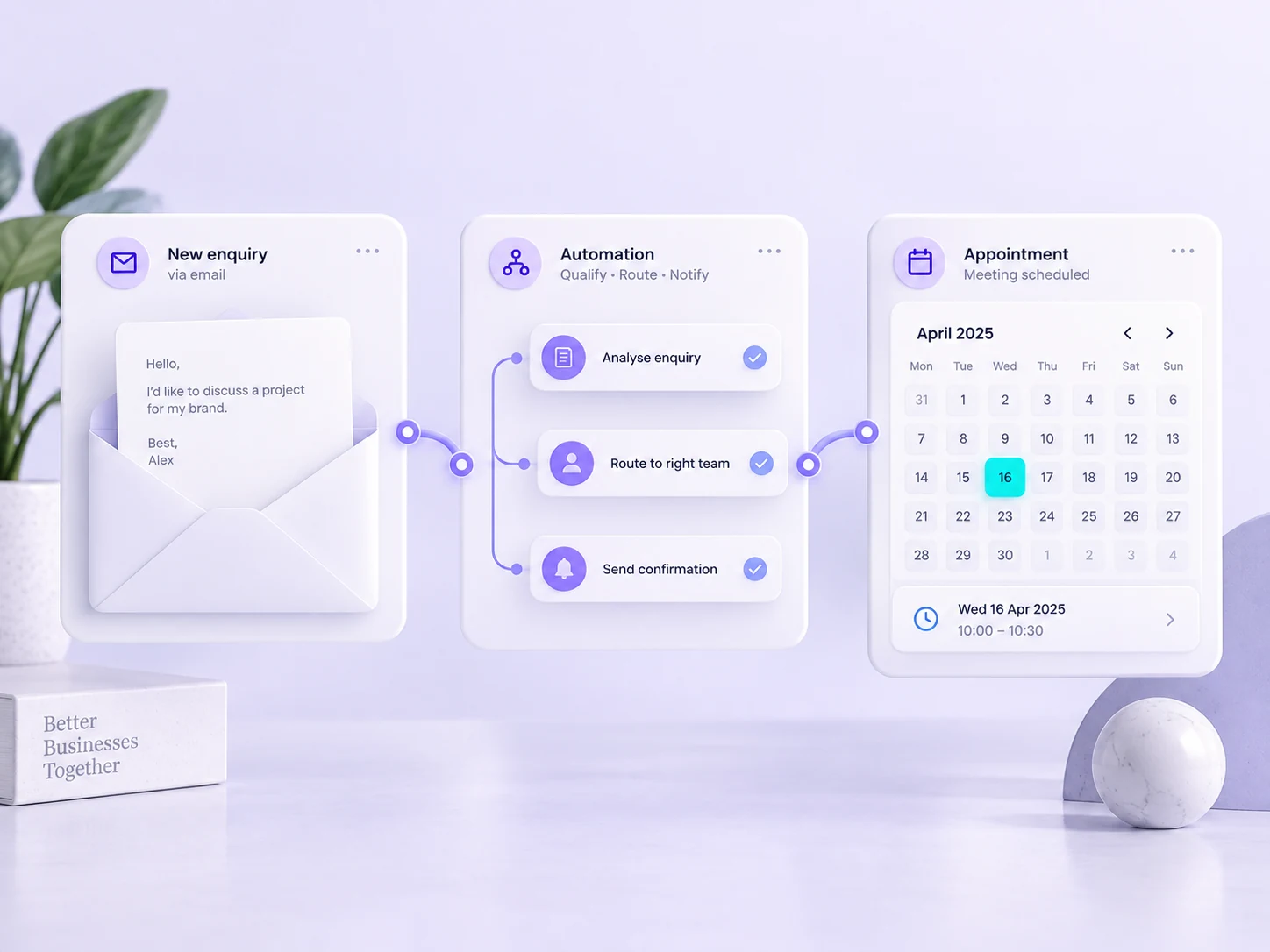
Illustrative workflow concept. The final solution depends on your tools and agreed requirements.
BUILT AROUND YOUR BUSINESS
Make the everyday work easier to manage.
DigiPixel helps turn repeatable business tasks into connected workflows. We combine practical automation with AI where it has a useful role, from organising enquiries to preparing responses and moving information between your tools.
↗
Reduce repeat handling
Move information between systems without asking someone to copy the same details into another form or spreadsheet.
◎
Keep tasks moving
Use clear triggers, routing and reminders to make the next step visible when an enquiry, request or document arrives.
↔
Keep people in control
Build review points into decisions and customer-facing outputs, with a clear route for exceptions and failed steps.
A good place to start.
For small teams spending time on repetitive admin, copying information between tools or managing routine tasks that could follow a clearer workflow.
THE POSSIBILITIES
Start with a task you repeat every week.
The best starting point is a clear, repeatable process with a visible bottleneck. We map its inputs, rules and exceptions, then decide which steps can be automated and where a person should review a result. Not every task needs AI; sometimes a reliable integration is the better answer.
Route a new website enquiry, create a CRM record and prepare a follow-up task. AI can help classify or summarise the request, while your team reviews the response before anything is sent.
02
Documents and information handling
Extract agreed fields from incoming documents, organise information and prepare draft summaries. We test against representative examples and flag uncertain results for review instead of assuming every output is correct.
03
Internal tasks and reporting
Connect status updates, scheduled reports and reminders across your business tools. Simple rules often handle predictable steps; AI is considered where interpretation adds value. Access, usage costs and failure handling are part of the design.
AI AUTOMATION SERVICES
The detail behind the delivery.
Your proposal sets out the work, responsibilities and checks. Depending on your requirements, the scope can include:
01
Workflow discovery
A map of triggers, inputs, actions, owners and exceptions.
02
Connected business tools
Supported integrations between forms, CRM systems, calendars and other agreed platforms.
03
AI-assisted tasks
Scoped uses such as classifying enquiries or drafting a response for review.
04
Human review points
Approval steps for actions that need judgement or could affect a customer.
05
Failure handling
Agreed alerts, fallback routes and a way to see what happened.
06
Testing and documentation
Sample scenarios and instructions for maintaining the workflow.
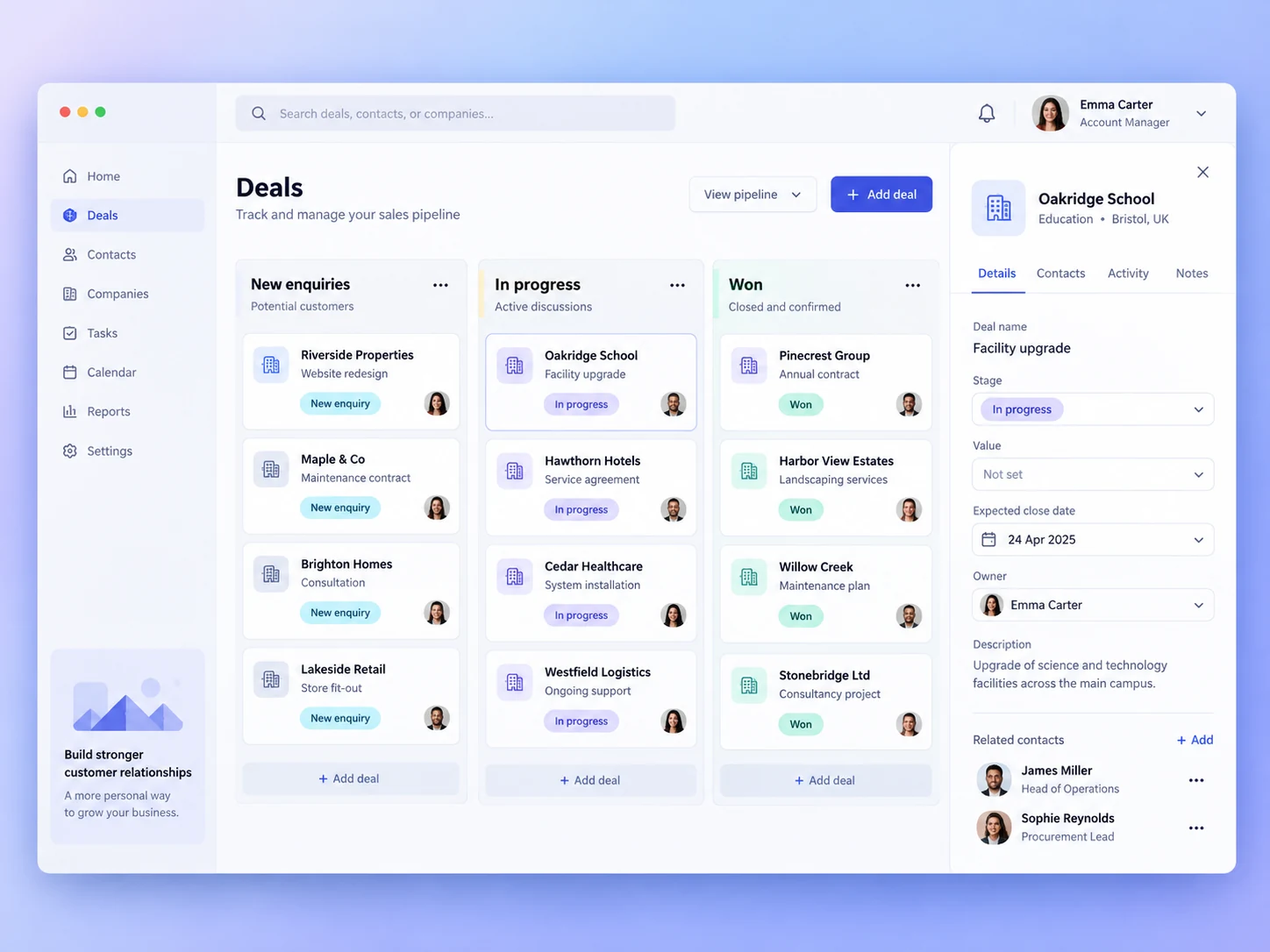
Illustrative CRM interface showing one possible destination for an automated workflow.
HOW THIS COULD WORK
From a new enquiry to an organised follow-up
A submitted form could be classified by service, added to the CRM and routed to the right person. An AI-assisted draft could help prepare the reply, while a human reviews it before sending. Appointment reminders and internal tasks can then follow agreed rules.
Illustrative scenario, not a client case study.
FROM BRIEF TO HANDOVER
Know what happens next.
01
Find the opportunity
Identify a repetitive task and define what a useful result looks like.
02
Build a bounded workflow
Connect the tools and implement clear rules and review points.
03
Test and refine
Try realistic examples, check exceptions and agree ongoing ownership.
YOUR QUESTIONS, ANSWERED
AI Automation FAQs
Useful details to help you decide on the right next step.
Will AI send messages or make decisions automatically?+
Only where that behaviour is deliberately included in the agreed scope. Workflows can require a person to review or approve customer-facing actions.
Can automation work with the tools we already use?+
We review the available integrations, APIs and subscription requirements first. The design depends on the capabilities of those tools.
What happens when a workflow fails?+
The plan should include visible errors, alerts and a practical fallback. Testing exception cases is part of agreeing how the automation should operate.
How are ongoing costs handled?+
Software subscriptions, integration services and any usage-based AI costs should be identified separately from the implementation scope.
YOUR NEXT STEP
Let’s make a plan for your business.
Choose one repetitive task and describe its trigger, inputs and desired outcome. Include the tools involved, how often it happens and the points where someone must approve the result.